Export & Code Generation
Export to SVG, React/Tailwind, React/CSS-Modules, Flutter, and SwiftUI. PDF export with CMYK support.
What It Is
Varve's code generation system exports scene documents to multiple formats including SVG, React with Tailwind CSS, React with CSS Modules, Flutter, and SwiftUI. The print production system supports PDF export with CMYK, bleed, crop marks, and color bars for professional print workflows.
For page-based print work, Print Production adds design-time trim and bleed guides so the production area stays visible while you design.
Pattern fills can be printed as raster tiles for axis-aligned grid repeats. Shifted layouts, rotation, phase, and mirroring are not included in PDF output yet. The next desktop release will stop PDF/X-1a export when artwork uses transparency or blend modes it cannot preserve; PDF/X-4 will carry live transparency and supported object, fill, and drop-shadow blend modes. See the pattern feature status for current output limits.
Published public beta v0.6.0 includes experimental presentation PDF and PNG-sequence delivery.PDF is raster-only and does not contain tagged accessibility structure. See the presentation feature status for supported behavior and limits.
Key Capabilities
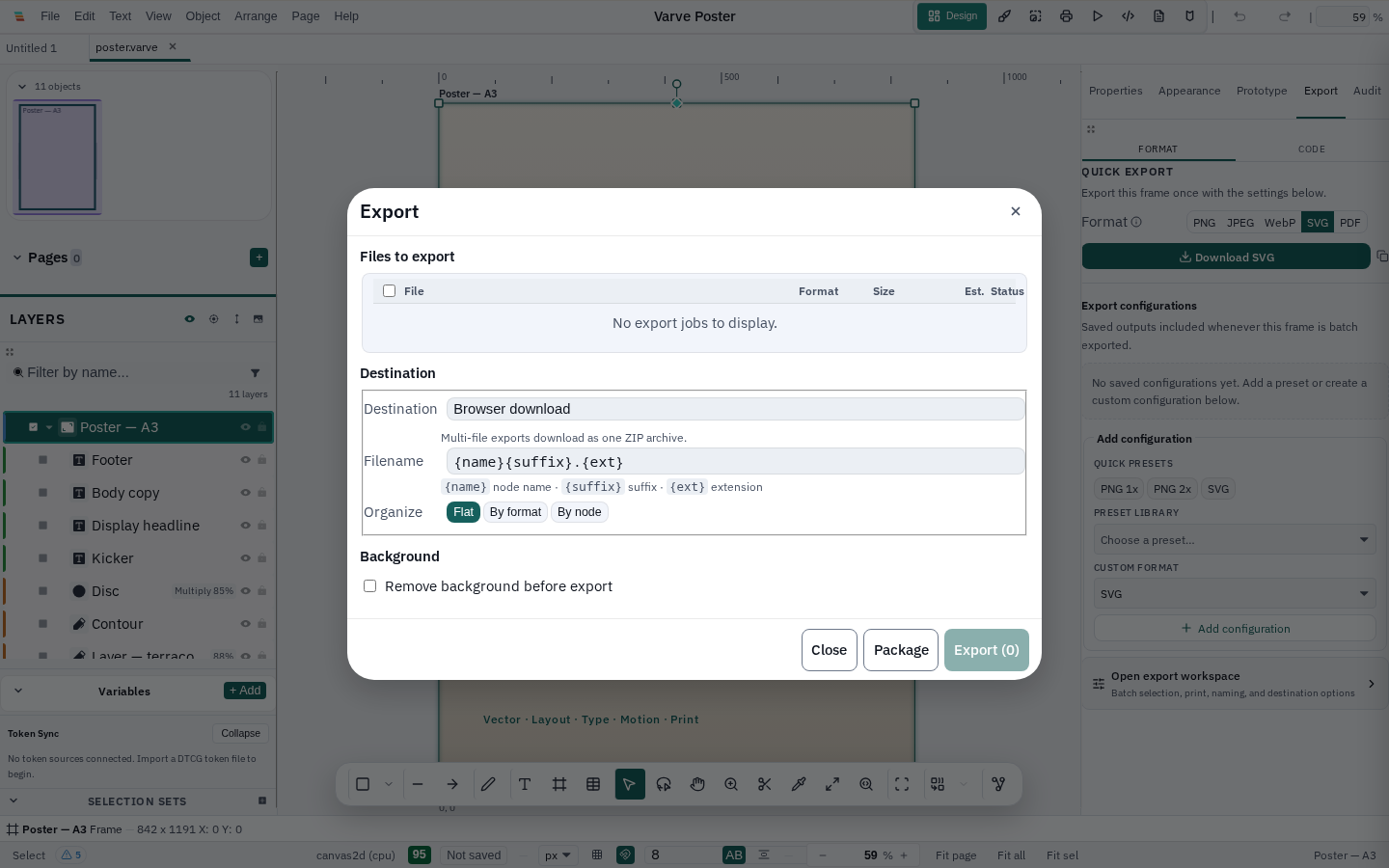
- Streamlined Inspector Export Tab: Quick-add presets (
+ PNG 1x,+ PNG 2x,+ SVG), color-coded format badges, live preflight diagnostics, and one-click quick export - Two-Column Batch Export Workspace: Master-detail queue management with real-time filename search, format filters (PNG, SVG, PDF), interactive template token chips (
+{name},+{suffix}), and simulated folder tree preview - Quick Convert: Convert local PNG, JPEG, WebP, AVIF, GIF, BMP, and first-IFD TIFF assets to PNG, JPEG, WebP, or AVIF with visible alpha, animation, metadata, and runtime-codec boundaries
- SVG export: SVG output for supported shapes, paths, text, and transforms; unsupported effects and semantics use the documented fallback or appear in the export report
- React/Tailwind: Export to React components with Tailwind CSS utility classes
- React/CSS-Modules: Export to React components with CSS Modules
- Flutter: Export to Flutter/Dart code
- SwiftUI: Export to SwiftUI code
- PDF export: PDF/X-1a and PDF/X-4 support with CMYK, bleed, crop marks, color bars
- Design-time bleed: Page-level bleed values, trim/bleed overlays, and PDF/X page-box parity
- Print production: Bleed config, safe area, slug, swatches, spot colors
- Export settings: Per-node export settings for different output formats with live batch size estimates
Local raster preparation
File > Quick Convert is a focused asset-preparation workflow for raster images. It processes a bounded batch locally, checks the file signature and pixel budget before decoding, and saves one output per source. JPEG conversion asks for an explicit background when transparency may be present; animated sources disclose that only the first frame is being exported.
Quick Convert is intentionally separate from vector/document export. Read the Image Conversion guide for the format matrix and the File Formats guide for import boundaries.
Accessibility at the output boundary
Varve preserves semantic information where an export format supports it, but the final application, email client, viewer, or asset catalogue still owns the accessibility review. Read the export accessibility guidance before publishing generated code, email, SVG, PDF, or raster assets.
Technical Depth
Code generation is implemented in packages/codegen/src/index.ts with functions for SVG export (exportDocumentToSvg, nodeToSvg), React/Tailwind JSX export (exportDocumentToReact), and utility functions for color conversion (rgba), affine transformations (affineToSvg), XML escaping (escapeXml), and shape vertex conversion (shapeVerticesToPoints).
PDF export is implemented in varve-print (Rust) with lopdf-based export_pdf supporting rect, circle, ellipse, line, polygon, and star path operators. The print production system includes color management with ICC profiles and rendering intents, and exports PDF/X-1a and PDF/X-4.
Limitations
Current limitations:
- Source-build raster exports support 1x, 2x, 3x, custom scale, and PPI settings; oversized output may be reduced with a warning to stay within memory limits
- Print bleed and trim guides are available in the canvas; exported trim and bleed geometry remains the final authority
- Source-build timeline export supports CSS, Lottie, and SVG; video requires a supported WebCodecs runtime. Interactive HTML prototype generation exists as a code API and is not exposed in the app export dialog
Status
Code generation, PDF export, multi-page documents, facing pages, and print guide configuration are functional. The current source build also supports scaled raster output. See the download page for published installer availability.