Copy a vector selection
Create a definition from selected artwork in the Paint inspector. The selected source artwork remains on the canvas; the pattern keeps its own copied source data.
Build a reusable pattern from copied vector artwork, an image tile, or a procedural recipe. Apply that definition to selected objects, then adjust each fill’s tile scale, phase, and rotation in the inspector.
This pattern library is available in the current source build and is not included in a published Varve release yet.
Four things, kept distinct
A copied motif or tile is the source. Its definition stores cell and repeat data. An object’s fill points to that reusable definition and owns its own placement values. Editing those placement values does not resize or move the original artwork on the canvas.
Conceptual model — this diagram is not an application screenshot.
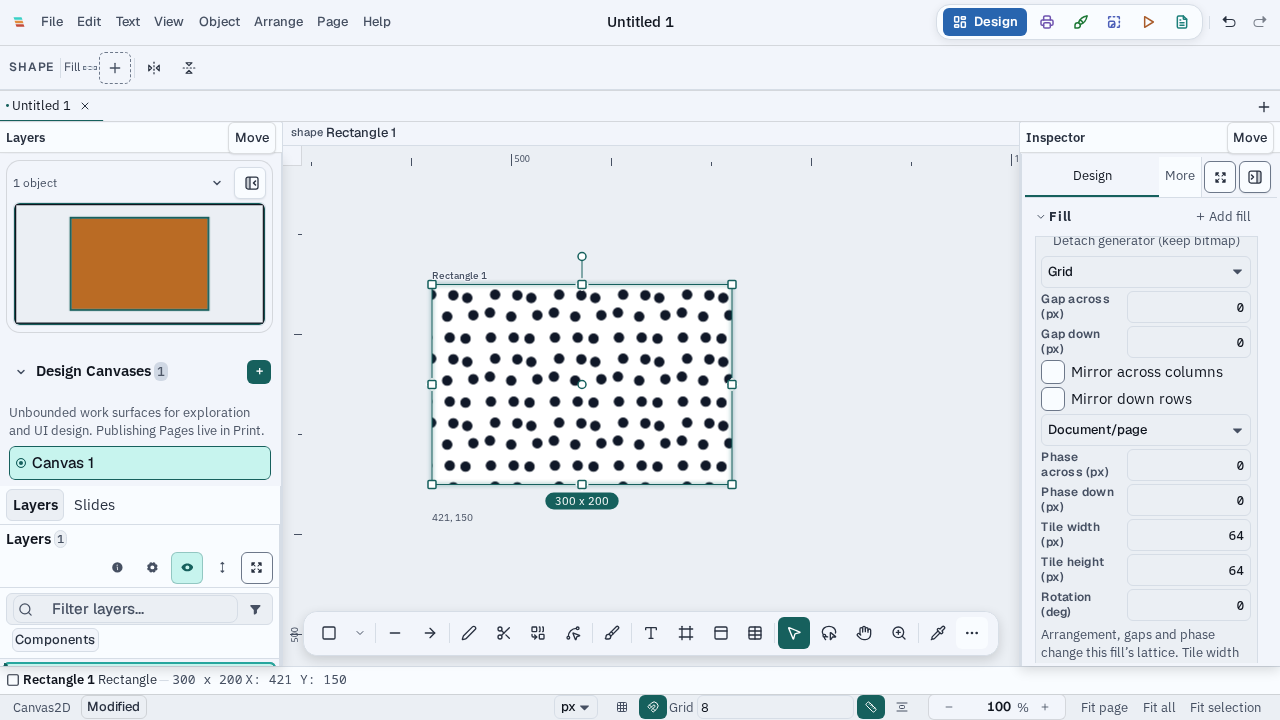
In the source-build preview
Create a definition from selected artwork in the Paint inspector. The selected source artwork remains on the canvas; the pattern keeps its own copied source data.
Import PNG, JPEG, WebP, GIF, or AVIF. The image is embedded as a document asset, so the definition does not depend on its original file path.
New pattern creates a checkerboard recipe that is saved with the document, alongside its generated preview.
Apply a library entry to selected objects. A fill can be made unique for one selected object, with its own definition identity for later source changes.
Set tile width, tile height, horizontal and vertical phase, and rotation for the selected fill. The current repeat preview helps inspect the applied arrangement.
Pattern definitions and imported tile bytes are part of document data. The normal document save path carries their source and dependencies together.