Print production you can see while designing
Configure bleed on a page, inspect the production area on the canvas, and keep trim and export geometry tied to the same document settings.
Bleed belongs to the page
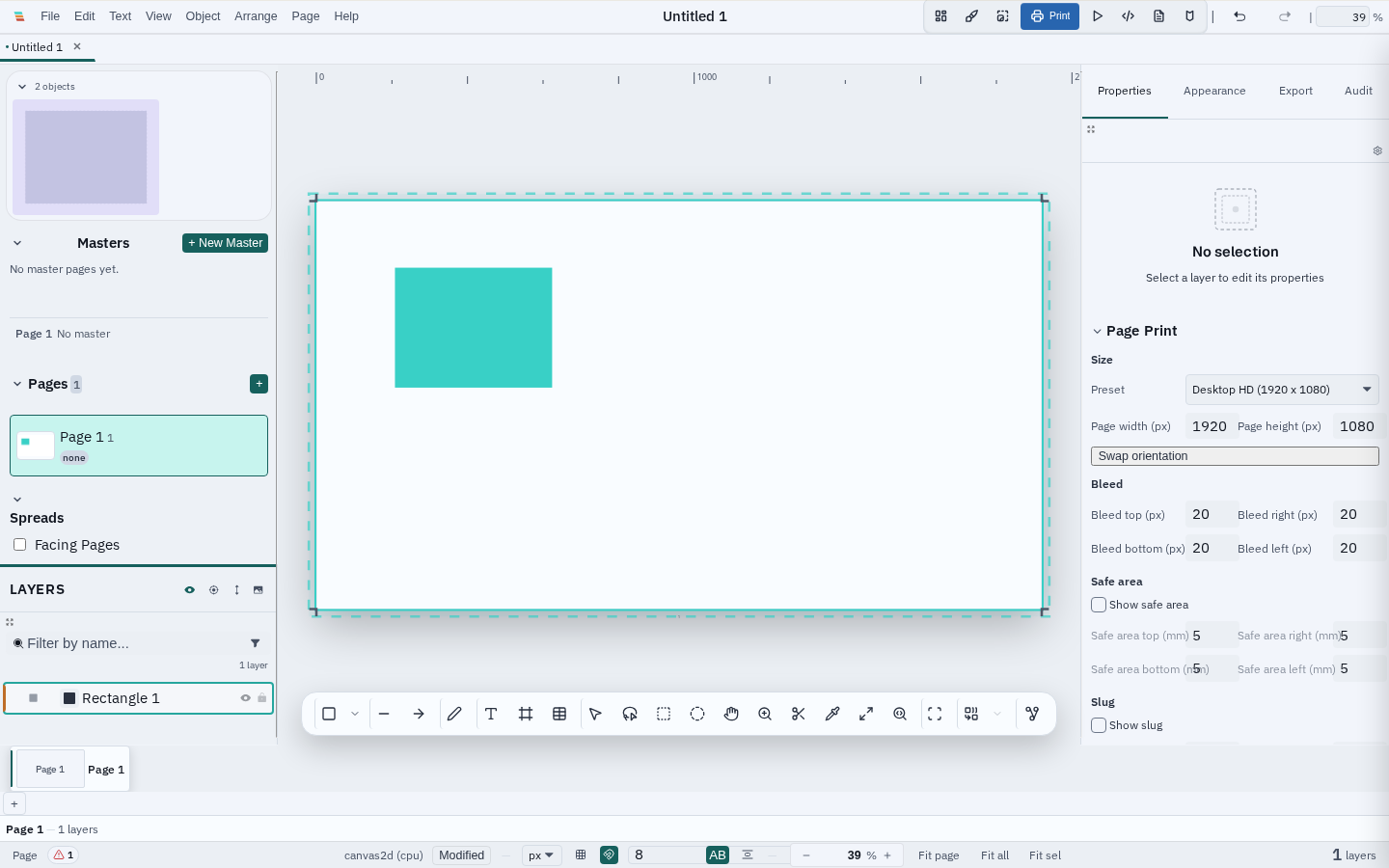
A page's trim is its finished size. Bleed expands outward from that trim edge and is stored in the document's physical units. Page overrides inherit the document default, so mixed page sizes can keep their own production requirements without creating a second canvas-only setting.
- Set uniform or per-edge bleed in the Page Print inspector.
- Use millimetres, inches, points, or the document's supported unit.
- Keep bleed values separate from safe area, slug, and crop marks.
Trim and bleed guides on canvas
The dashed outer boundary and subtle production band are editor overlays, not artwork. Toggle them from View without changing the document, undo history, or exported files. Artwork that crosses the trim edge remains visible on the pasteboard, making missing background coverage easy to spot before export.
Print-aware export
PDF/X export expands the media geometry around trim and writes distinct MediaBox, BleedBox, TrimBox, CropBox, and ArtBox values. Crop marks reference trim, not the outer bleed edge. Raster and screen-PDF export paths remain format-specific; check the export capability before treating a bleed guide as an output promise.
Still in progress
Varve does not yet perform authoritative painted-coverage preflight for artwork that stops at trim. For press-critical work, leave the guides visible and inspect the final PDF/X proof. Multi-page PDF execution and full printer-mark preview remain separate roadmap items.