Color & Effects
Keep print colors meaningful from document to export. Varve stores native CMYK values alongside RGB, grayscale, and spot colors, then carries precision-aware working values through conversion, gradients, effects, and proofing.
What It Is
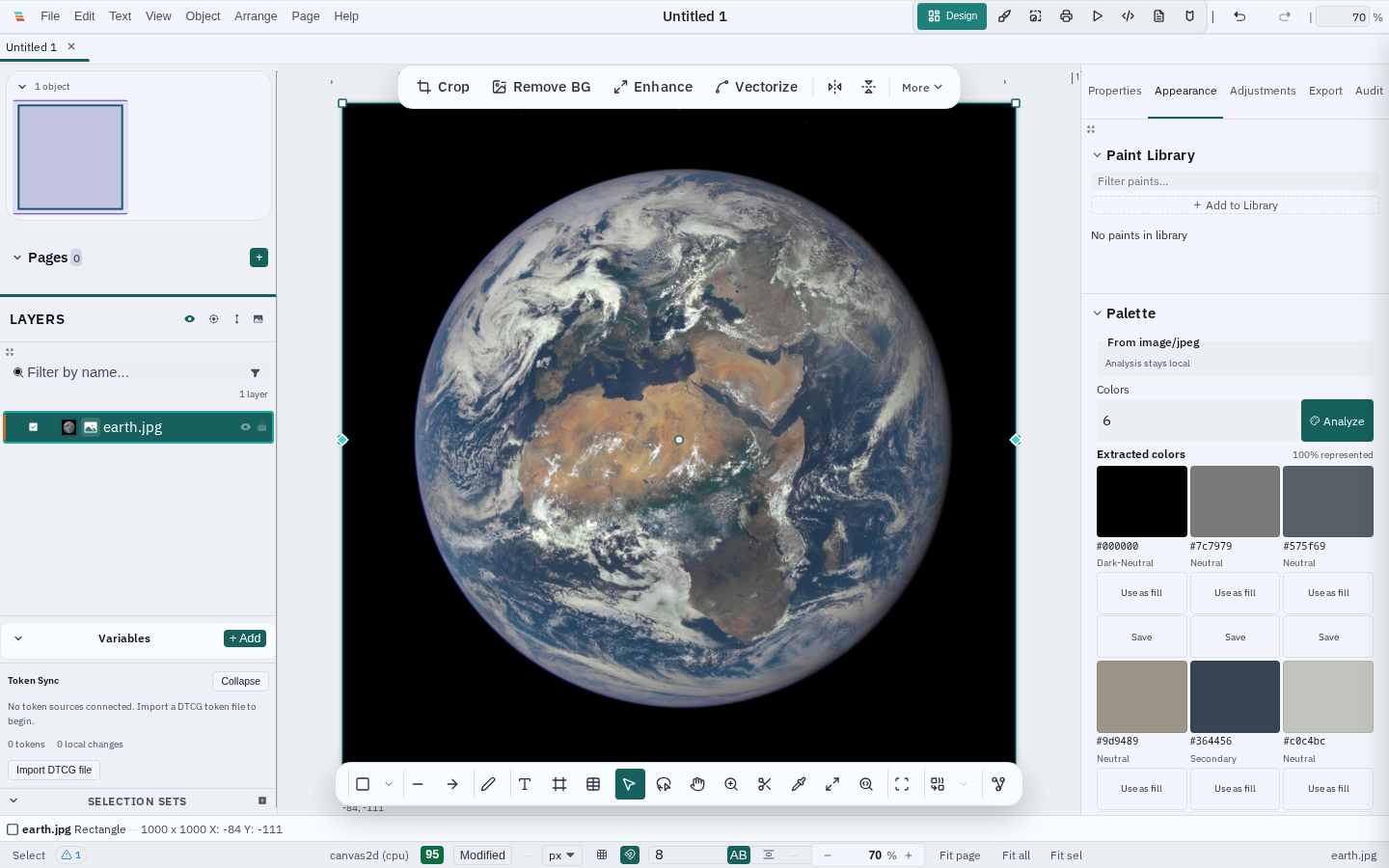
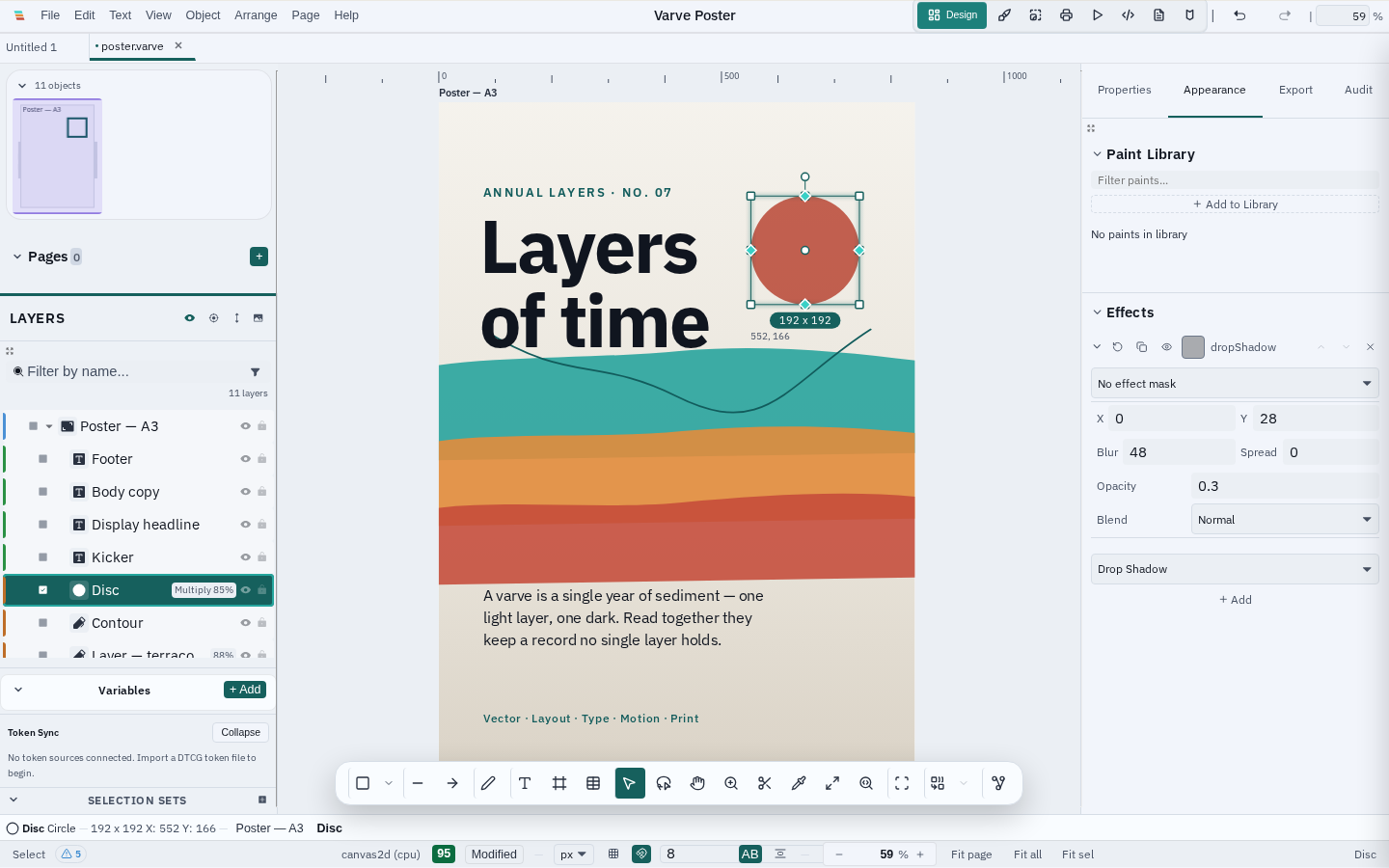
Varve provides color management across RGB, CMYK, grayscale, and spot color spaces with ICC profile support. CMYK values remain native document values instead of being flattened into display RGB during editing. Select an image and Varve can also build a local, deterministic palette from the visible crop, suggest harmonies, and surface WCAG 2.1 contrast pairs. The effects system includes drop shadows, inner shadows, layer blur, background blur, and glow effects. Adjustment layers provide non-destructive editing with curves, levels, selective color, HSL, and exposure controls. The halftone engine supports AM and FM screening for print production.
From Image to Working Palette
In Appearance → Palette, a bounded preview is analysed locally in perceptual Oklab. Large image files are not uploaded or scanned at full resolution by the editor path, and transparent pixels are handled explicitly.
- Useful roles: dominant, primary, secondary, accent, and neutral candidates with coverage information
- Generated harmonies: complementary, analogous, triadic, split-complementary, and monochromatic suggestions clearly labelled as derived—not sampled
- Accessibility review: WCAG 2.1 body-text and large-text contrast thresholds with foreground/background previews
- Reusable output: copy HEX values, apply a sampled colour as a fill, or save extracted colours as document swatches and variables
Palette roles are helpful starting points rather than semantic image understanding. Review the final type, profile, and export context before publishing.
Key Capabilities
- Color spaces: RGB, CMYK, grayscale, and spot colors with analytical conversion
- Native document color: CMYK channels stay tagged as CMYK in the document model, ready for print-oriented editing and export
- Precision-aware working: 16-bit integer and floating-point channel values stay distinct through supported conversions, gradients, effects, and proof transforms; quantization is explicit at a display or codec boundary
- Document color settings: Inspector controls for precision (8-bit, 16-bit, 16f, 32f) and blend space (sRGB or linear-light), plus an explicit Assign vs Convert dialog for mode changes — assign keeps values, convert rewrites them in one undoable step
- Precision-preserving editing: bit-depth-aware numeric fields (0-255 / 0-65535 / 0-1), float HSV drafts, and swatches that carry the full canonical color — editing one channel never quantizes the others, and 16-bit values survive save/reopen exactly
- Native CMYK in PDF export: authored CMYK channels are emitted directly with pure-K preserved — no CMYK→RGB→CMYK round trip turning black into a four-color build
- ICC profiles: Bundled RGB and CMYK profiles (sRGB, Fogra39, GRACoL, SWOP) with rendering intents
- Blend modes: 18 CSS blend modes plus 4 non-separable modes (hue, saturation, color, luminosity)
- Effects: Drop shadow, inner shadow, layer blur (GPU-accelerated up to 32px, software beyond), background blur, outer and inner glow, glass material, chromatic aberration, and glitch
- Adjustment layers: Curves (Catmull-Rom spline), levels, selective color (9 targets), HSL, exposure — with per-target scoping
- Halftone screening: AM (clustered-dot, 5 dot shapes) and FM (Floyd-Steinberg + Bayer) with standard CMYK angles
- Soft proofing: CMYK simulation overlay for previewing print output on screen
- Background removal: Fast, Auto, and High quality local cutouts with optional IS-Net/BiRefNet models, hair-edge refinement, subject picker, and an undoable mask workflow
- Retouching tools: Clone stamp, healing brush, spot heal, patch tool
Print Preview, Honestly
Native desktop export is the print authority: it can apply the selected document profile, rendering intent, bleed, marks, and PDF/X settings. Browser previews use the browser's sRGB display path and current RGBA8 canvas surfaces, so they are useful for layout and directional proofing—not a substitute for a calibrated monitor or an exported contract proof.
Authoring precision — 16-bit and floating-point vector colors, precision-aware picker fields, and high-precision persistence through save/reopen — is shipped. High-precision raster decode (16-bit PNG/TIFF pixels), CMYK raster planes, and high-precision GPU preview targets remain active integration areas. The document model and typed working-buffer boundaries are designed so those paths can be added without silently rewriting stored color values.
Technical Depth
Color management uses a ManagedColor discriminated union (RGB/CMYK/Gray/Spot) with bit-depth-aware channels and analytical sRGB-to-CMYK conversion via OKLab. The blur engine uses separable Gaussian kernels with premultiplied alpha and linear-light compositing for radii above 32px. Adjustment layers support 5 scoping modes for targeting specific layers.
The halftone engine implements ISO 12647-2 standard CMYK screen angles. Background removal runs locally through an ONNX Runtime pipeline: the browser worker handles the compatible path, while native desktop execution is preferred for heavier models.
Limitations
Current limitations:
- Browser canvas and ImageData display surfaces remain 8-bit; higher-precision working buffers are available where the selected pipeline supports them, but they do not change the browser display surface
- Profile-aware raster decode, CMYK raster-plane import, and high-precision GPU render targets are not yet the default browser path
- Print bleed and trim guides are available in the current print workflow; exported geometry remains the final authority
- Heavier background-removal models are provider- and memory-dependent. Unsafe bare-WASM runs are blocked before allocation and the UI explains any reduced-quality fallback.
Status
Color management, native CMYK document values, effects, adjustment layers, halftone, background removal, precision-aware working buffers, and print guides are functional. Some browser display, raster decode, and GPU effect boundaries still use display precision.