Code export, wherever you work
The shared Code panel brings generated output and design checks into any workspace. Open it without changing the active task or leaving the selected artwork.
Compare output and understand limits
Inspect supported scene content as SVG, React, Tailwind, CSS Modules, Flutter, or SwiftUI. Format-specific warnings identify content that needs a fallback or manual adjustment. Export output is generated from the document; it is not an arbitrary project source-code editor.
Ctrl+Shift+8 shows the Code panel in the current workspace. The existing Ctrl+Shift+J shortcut toggles that same panel. On macOS, use Command in place of Ctrl. The panel also includes design audit and readiness views where applicable.
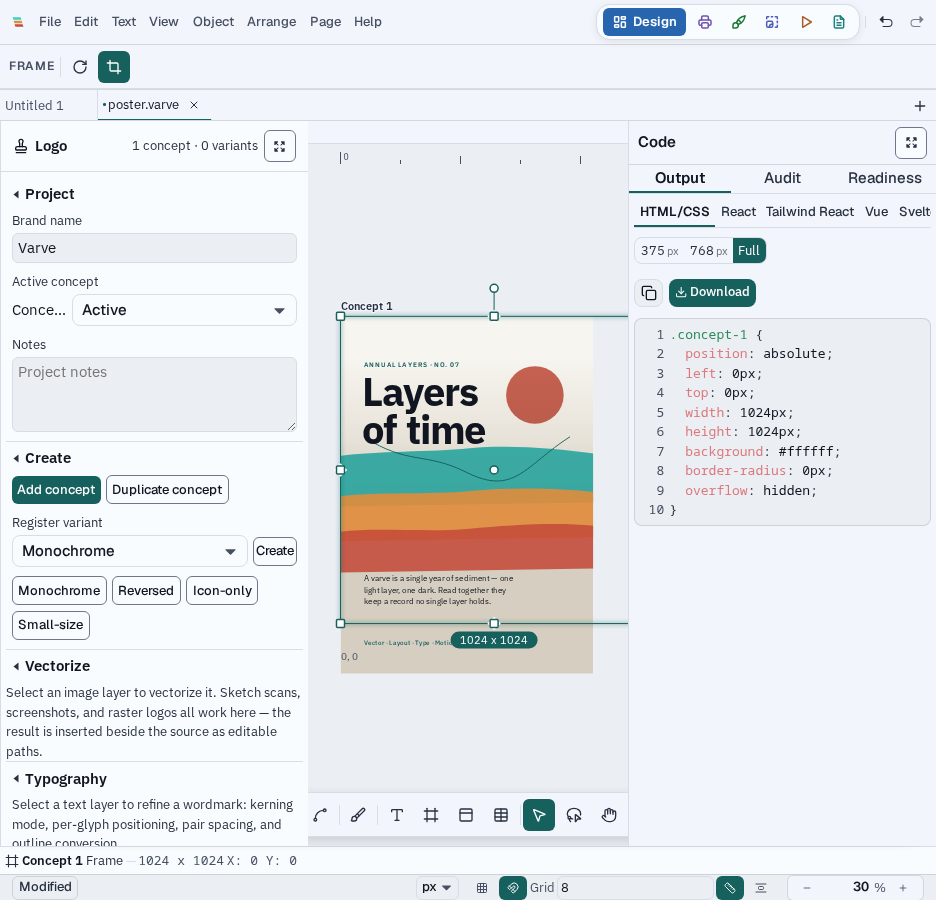
One shared surface
Code is a panel and export workflow rather than a separate workspace. It remains available alongside Design, Print, Draw, Photo, Motion, and Email. SeeExport & Code Generation for file-format details and all six workspaces.