Browse
Search by creative family: mark making, optics, print, light, and more.
Effect Studio turns a creative direction into an editable Object Filter recipe. Browse named treatments, compare the accepted state with the current candidate, adjust the controls, and decide when the result belongs in the document.
A deliberate workflow
Search by creative family: mark making, optics, print, light, and more.
Use Before, After, or a draggable split between the accepted state and current candidate.
Keep adds one coherent recipe to the local undo history. Cancel removes only the preview-owned edits.
The live preview and treatment gallery stay together as the dialog reflows. After the live render settles, an optional 2× check gives a closer look at the same selected object and matching Before/After bounds. On tablet and narrow screens, a sticky section rail jumps to the preview, treatment browser, or active stack/settings without adding a second scroll area.
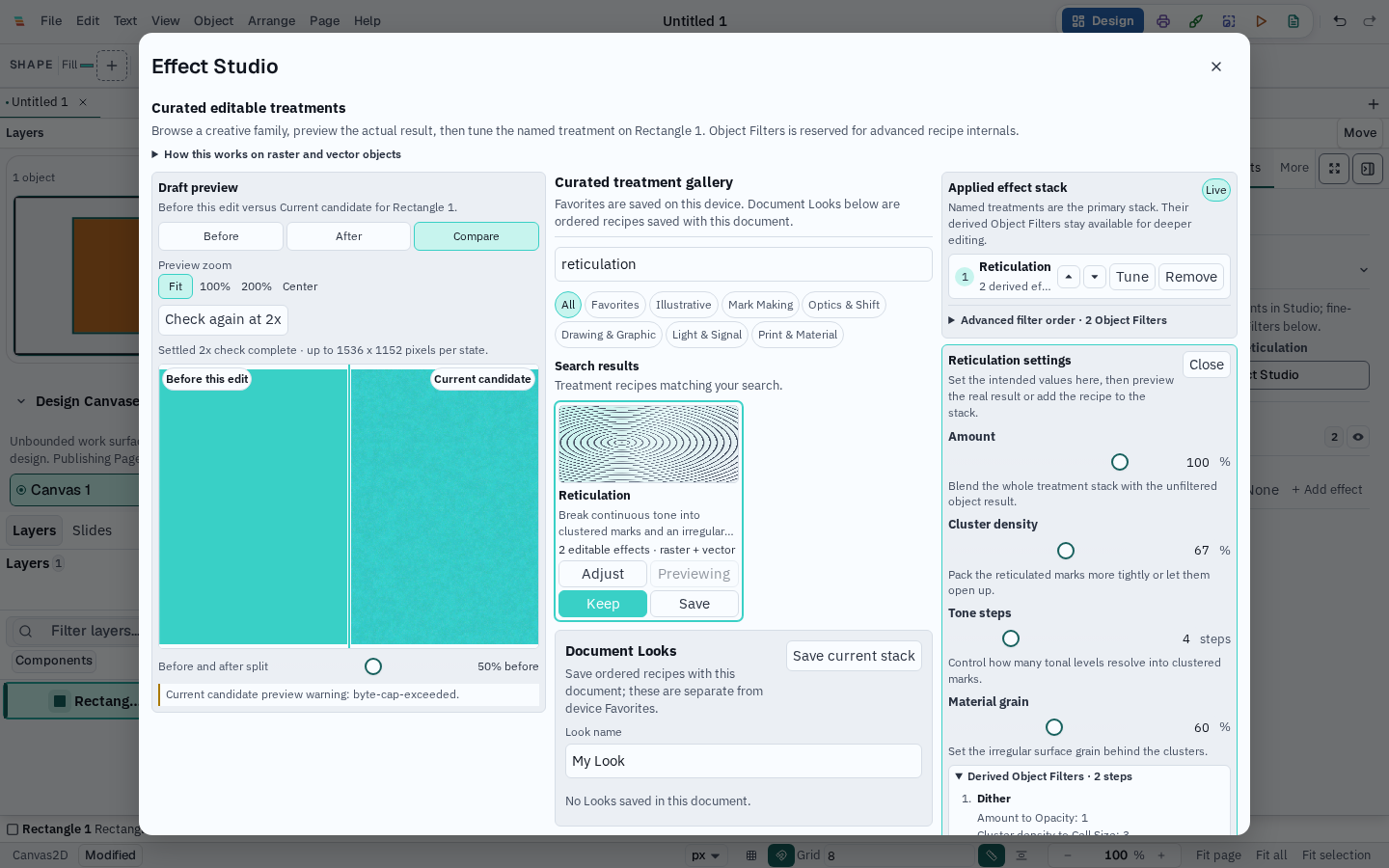
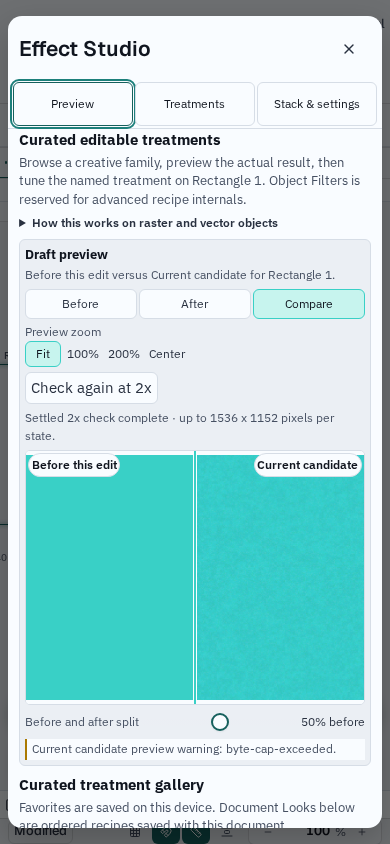
A treatment is a discoverable recipe, not a flattened image. Reticulation, Halftone Pattern, Grain, Chromatic Bloom, and other recipes expose meaningful controls while preserving their derived Object Filter entries, order, masks, and blend behavior.
Preview the rendered result for shapes, paths, text, groups, frames, and images while the original source remains editable.
Apply, keep, cancel, and multi-selection application use the existing document transaction and undo system.
Reapplying a treatment is an intentional Add another action, so an accidental second click does not silently duplicate the stack.
Fit contains the complete preview; 100% and 200% show its encoded pixels at inspection scale, with drag-to-pan and a shared Center control for aligned comparisons.
The live preview uses Varve's canonical renderer at 768 × 576. Once it settles, an optional 2× check uses a 1536 × 1152 profile for Before and After, scaling small selections up while preserving their aspect ratio. Changes to the target or settings make an earlier check stale, while the live preview and Apply remain available. Both images are bounded editing previews; the canvas and export remain the full-resolution references. Documents store the editable recipe, not a preview bitmap.