Words should not disappear at the edge
Fit policy is explicit: reflow in the balloon, fit the balloon to text, or show overflow. A long translation reports overflow instead of quietly shrinking type, and one command re-fits it.
Varve treats a balloon as a small editable composition: ordinary text, an ordinary body, and one or more ordinary tails held together by a reversible recipe. Dialogue wraps to the shape of the balloon, tails bend and aim, and the words stay selectable text — in the same document, with the same typography, layers, selection, and export systems.
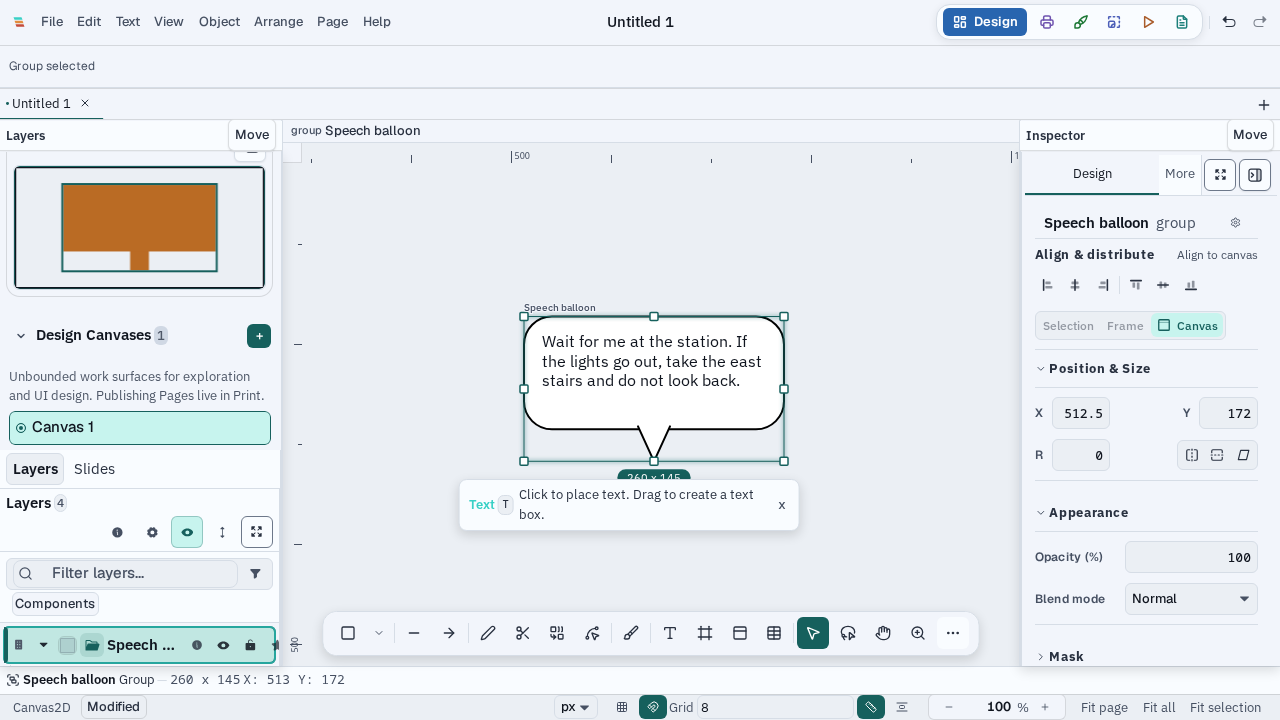
Comic lettering builds on Varve's existing text, strokes, effects, warp, group, layer, page, and export foundations. It does not create a separate Comic workspace or a second text engine. A speech balloon is a selected group with a shared recipe, so body and tail nodes remain available for ordinary editing and the source text remains available for localization. Fitting never reduces the font size; overflow is a visible state you can act on.
Fit policy is explicit: reflow in the balloon, fit the balloon to text, or show overflow. A long translation reports overflow instead of quietly shrinking type, and one command re-fits it.
Wrapping a single-line text node into a balloon caps the measure and stacks the dialogue. The first and last lines narrow so the text mass follows a round balloon, with the longest line near the middle.
Tails are ordinary nodes with a curve, a base width, a flip, and a remove. Thought balloons draw the conventional chain of decreasing circles, and the tail tip stays put when the body is fitted.
The editable balloon foundation is in the beta. Speaker-target placement, joined balloons with shared outlines, a canvas draw-a-balloon tool, vertical contour columns, and full publisher upload automation are intentionally not presented as complete. Tails added by hand to a burst or cloud balloon anchor at the text box rather than the outer edge. Webtoon and Tapas limits remain dated, source-linked export guidance rather than hard-coded platform promises.
See the typography guide for the shared text model and the file-format guide for document dependencies and export boundaries.